

The MGS Management App
Every screen that runs a shift.
The software our supervisors and crews use on site: inspections scored in the room, clock-ins verified against the building's coordinates, and a record that leaves with the client. Below is all of it, screen by screen, in the order the work happens.
Free · iOS 15.1+ · iPhone, iPad & Apple Vision
The Inspection
Scored in the room, not written up afterward.
A supervisor walks the site with the checklist open and scores every item where it stands. The app decides what counts as finished — which is the part that makes the number at the end worth anything.
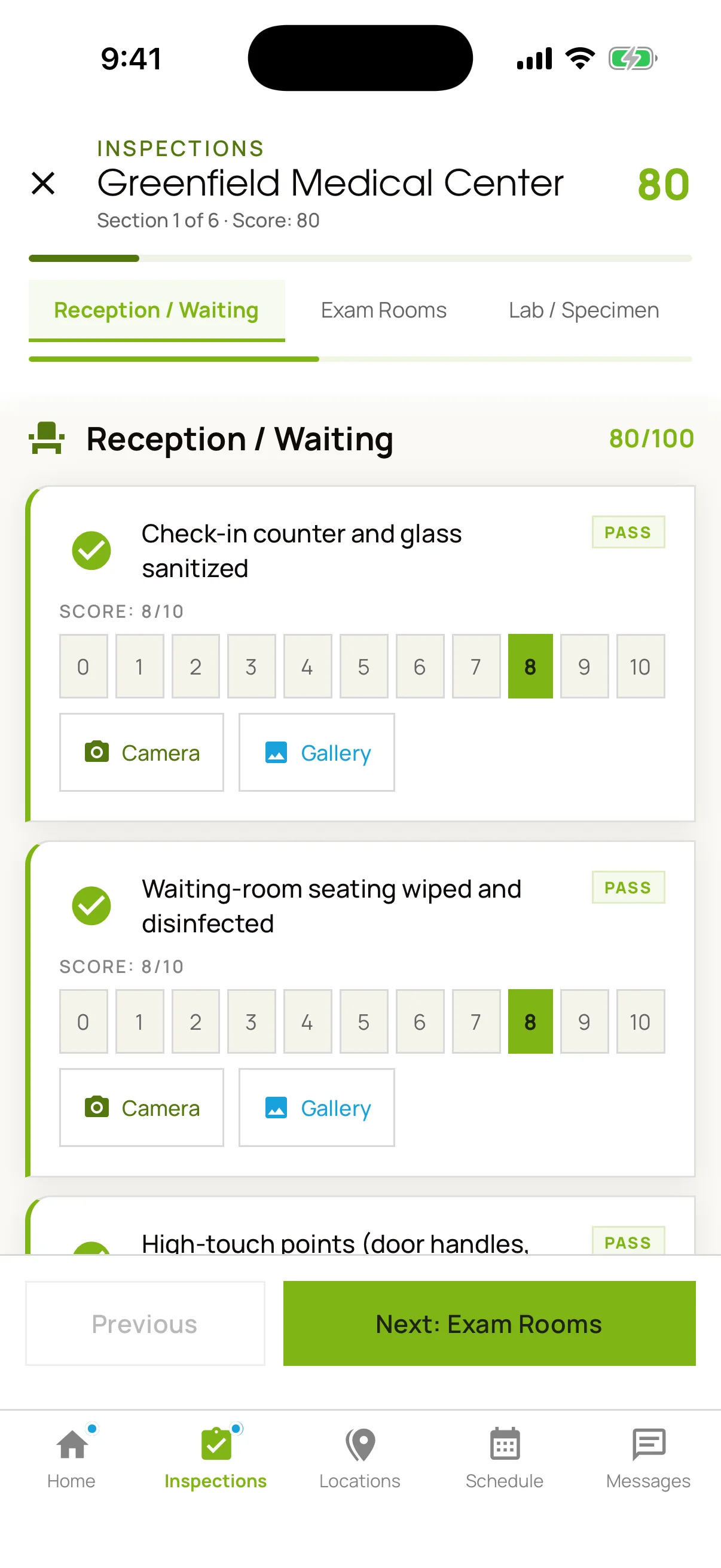
It speaks the building's language.
Section tabs are built per facility type. A medical site is walked as Reception / Waiting, Exam Rooms and Lab / Specimen, so the checklist matches the risk profile of the space and the crew is measured against the right standard.
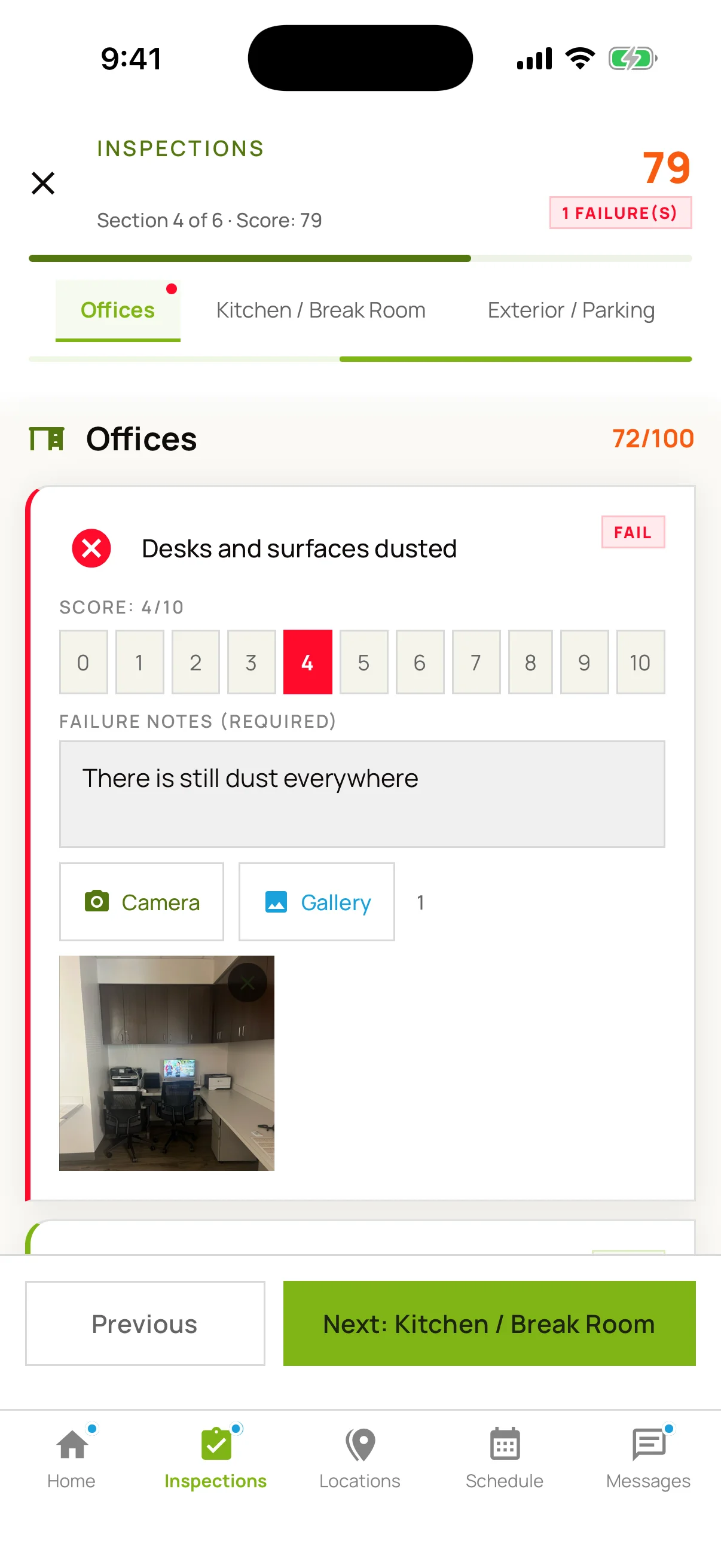
A failure has to be specific.
Marking an item down opens a required note and a camera. The app will not carry forward a low score with no reason and no photograph, so the deficiency reaches the crew as an instruction rather than an opinion.
Watch the score move.
Eighteen seconds, uncut: an item marked Fail, a photograph attached from the camera roll, the note typed — and the site score falling from 80 to 78 while it happens. The number is computed from the walk, not decided at the end of it.
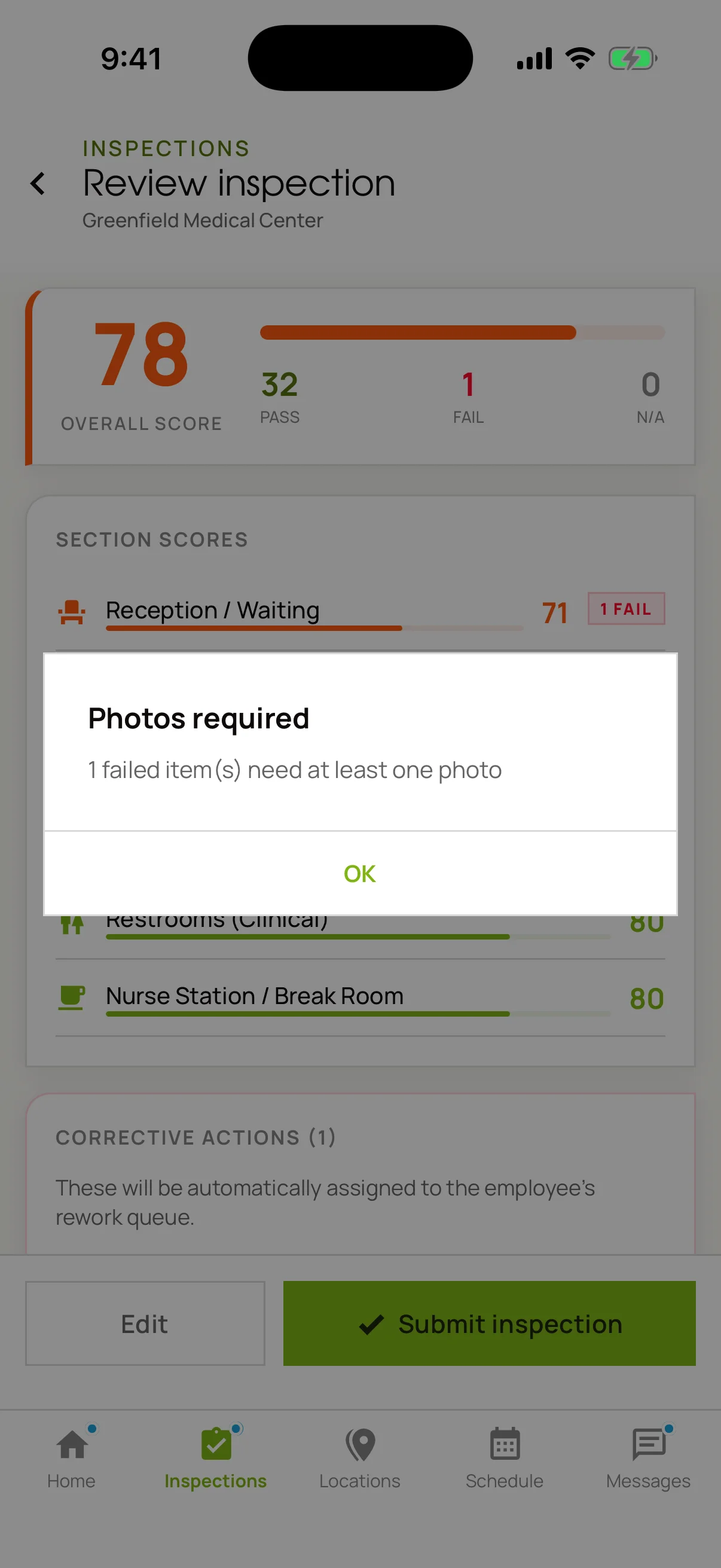
And it won't file without the evidence.
The submit is refused outright, and the app names how many items are still missing a photograph. Not a warning you can dismiss when the shift is running late.
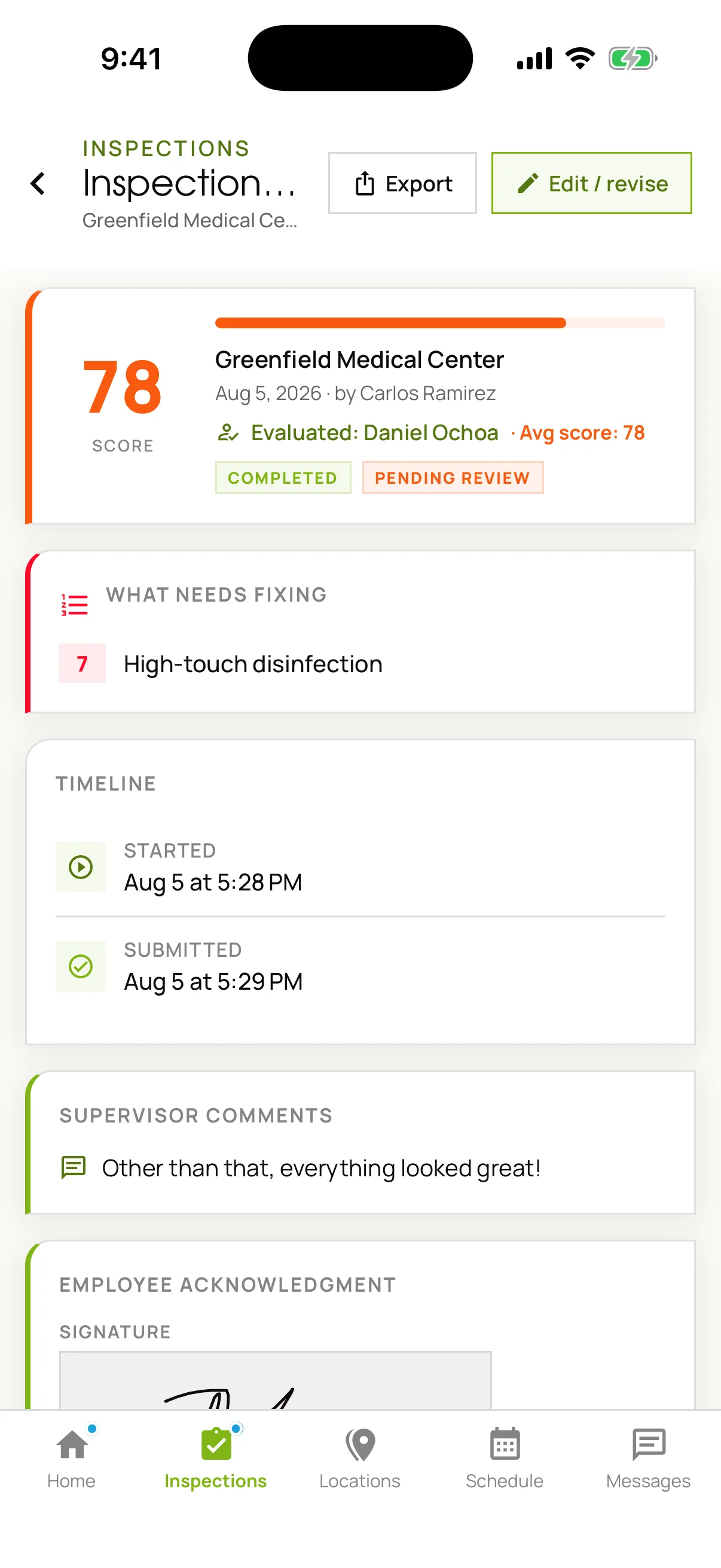
What comes out the other end.
The score, the ranked list of what needs fixing, the start and submit times, and the supervisor's comments. Underneath, the signature of the person who did the work, captured before the record was filed.
The Shift
Verified against the building, not the honour system.
Attendance is the claim every janitorial contractor makes and almost none can evidence. Ours is checked against the site's coordinates and the shift's schedule, and refused when either doesn't hold.
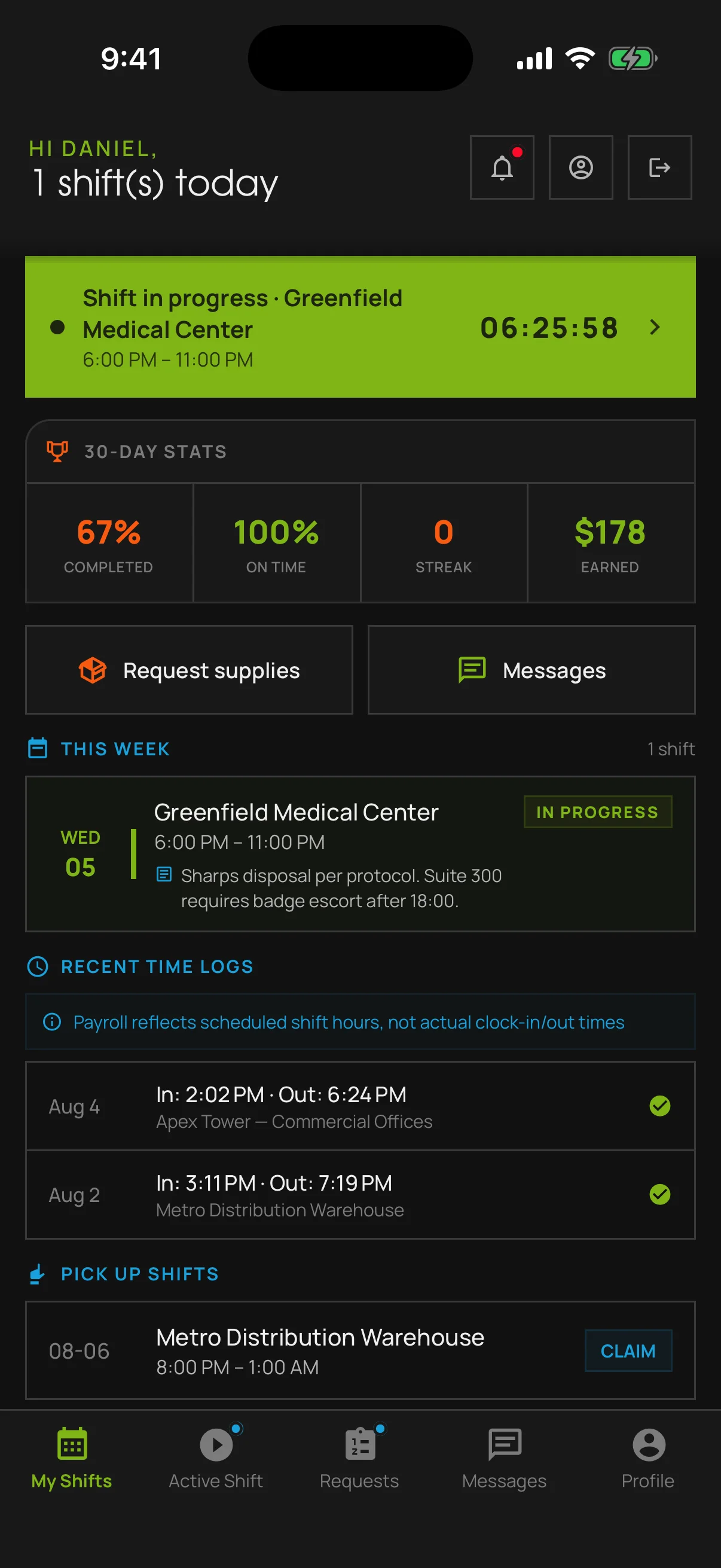
The crew's own view.
Shift in progress with the clock running, thirty-day completion and on-time rates, the week ahead, and every previous clock-in and clock-out. The same record the office sees, from the crew side.
It checks where you are. It also checks when.
Two refusals, both real, neither staged. Distance is measured against the site's coordinates; timing is measured against the shift. Fail either one and the clock-in does not happen.
Out of range
The refusal states the distance. The device running this capture was 2,642 km from the site — which is exactly the check doing its job.
Out of window
Clock-in opens ten minutes before the shift. Arrive earlier and the app says how long the wait is, rather than quietly banking the time.
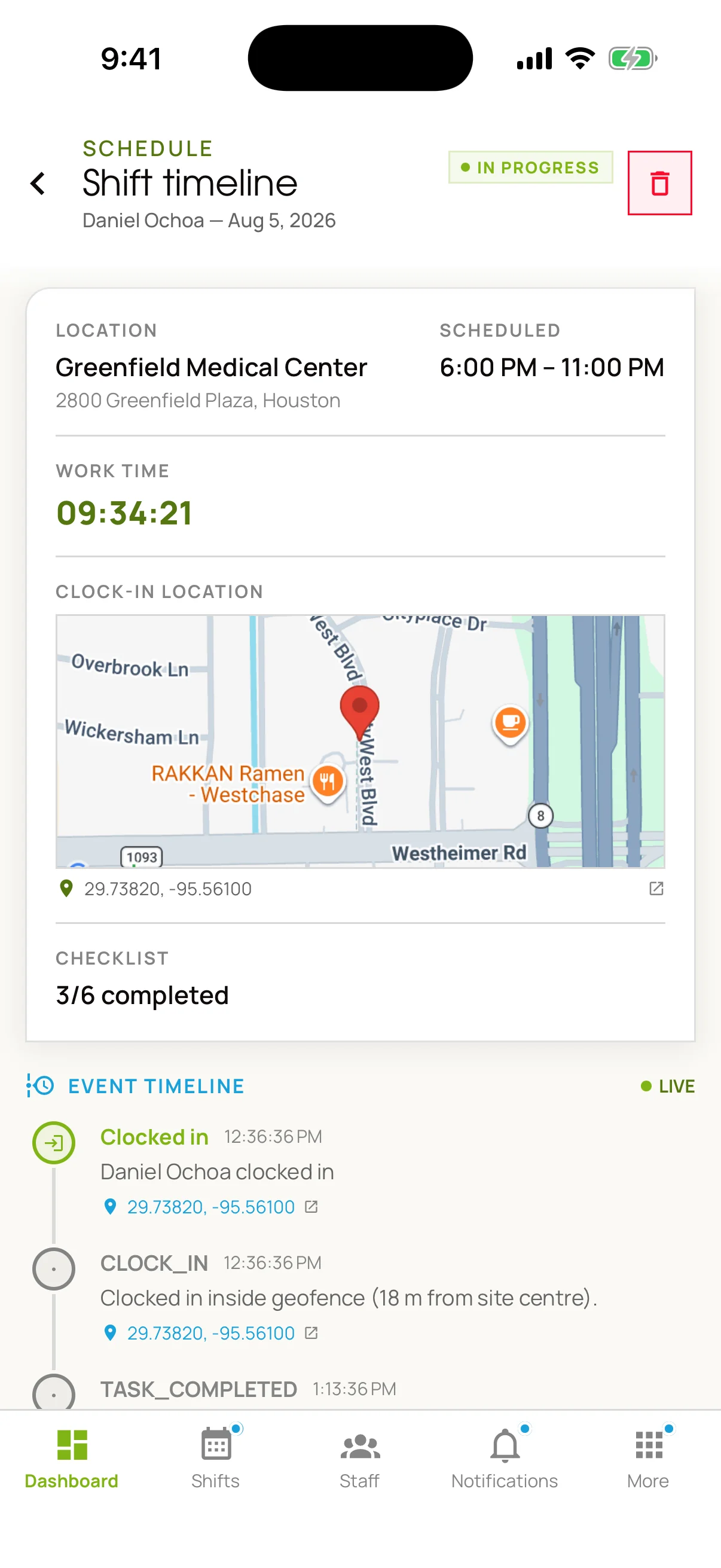
Where and when, to the meter.
The clock-in coordinates, plotted. Underneath, a live event log: inside geofence, eighteen meters from site center, then every task completion timestamped after it. This is the document behind an attendance dispute.
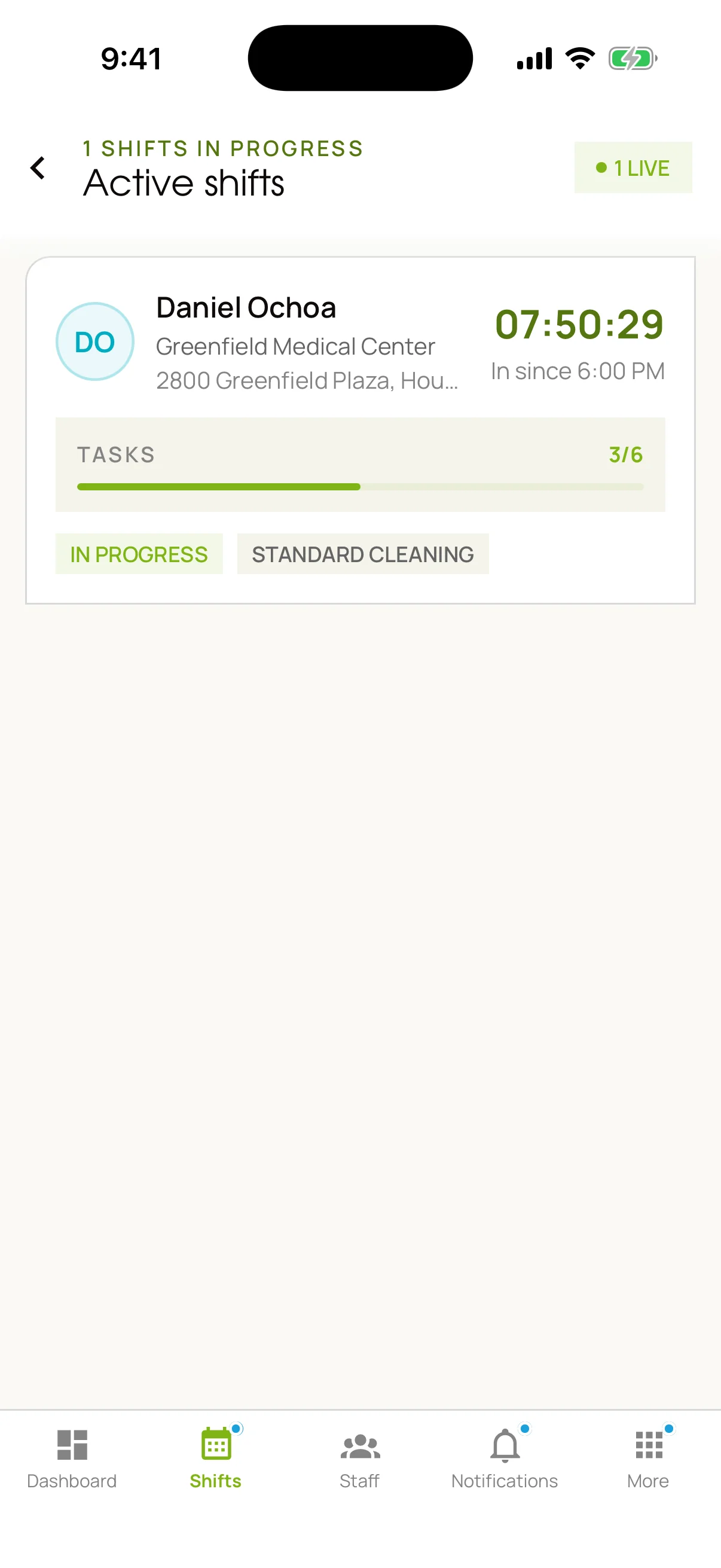
Live, right now.
Who is on site, how long they have been there, and how much of the checklist is behind them. Answering “is anyone at my building?” takes a glance rather than a phone call to a supervisor who has to make one of their own.
The Record
A failure becomes an assignment, then a document.
Finding the problem is the easy half. What follows is the part a client can hold us to: the fix has an owner and a date, and the whole file leaves in a format their records team can accept.
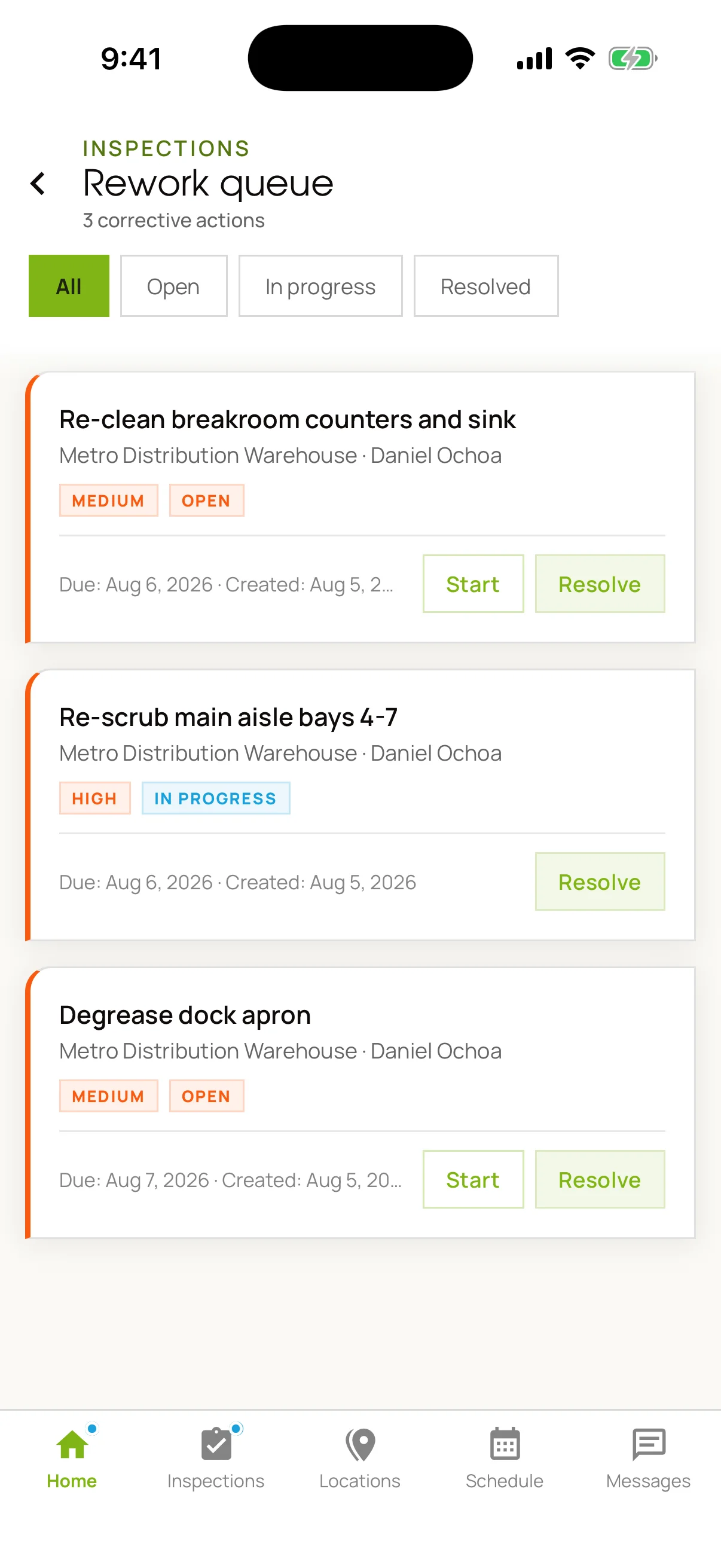
The queue it generates.
Every failed item becomes a corrective action carrying an owner, a priority and a due date, and it stays open until someone resolves it. The inspection doesn't end at a score; it ends when the work behind the score is redone.
Four formats, one tap.
The whole record exports without anyone assembling it by hand — including a deficiency report that carries only the failed items and their photographs, which is usually the only part a client's compliance file actually needs.
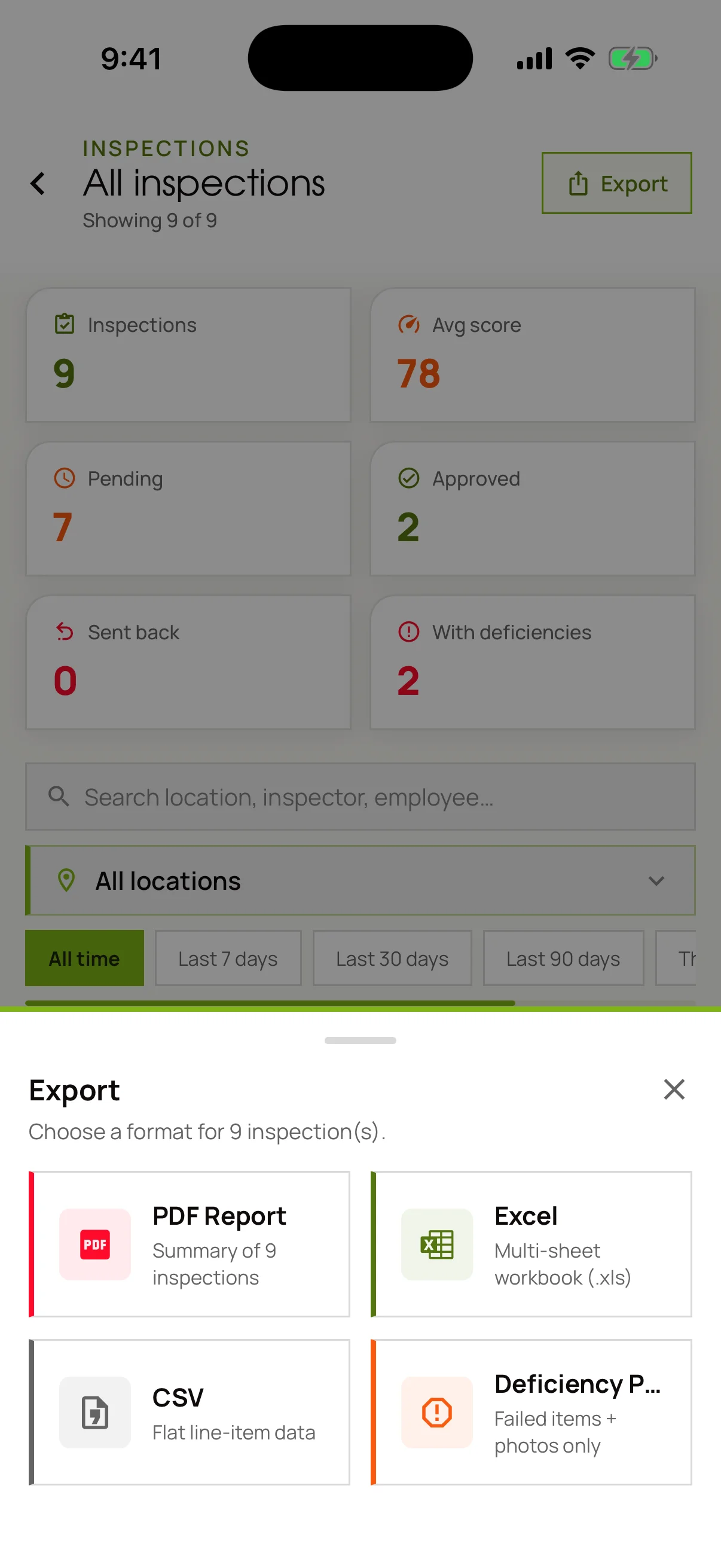
Pick the format
PDF for the file, Excel for the analysis, CSV for whatever system it has to land in, deficiency report for the fix list.
Then it's a document
Tap through and the report is generated on the device, ready to send from site.
Either Language
The same screen, in the language they actually speak.
Chosen per user, not per company. Nobody on an MGS crew signs off on a result that had to be translated for them by the person who wrote it.
One screen, twice.
Not a partial translation over an English shell — the same Locations view, the same three sites, the same average of 78, rendered wholly in each language.
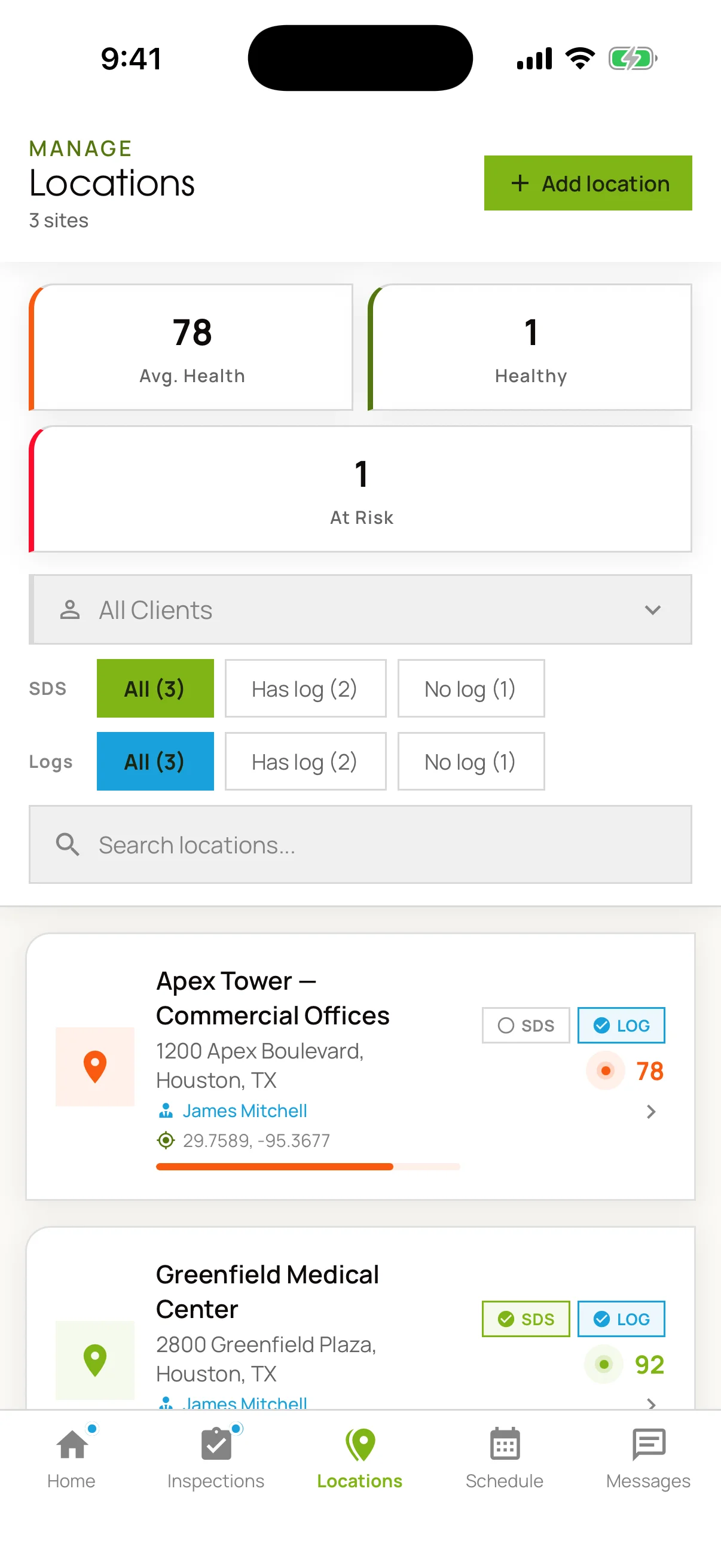
English
Locations, Avg. Health, Healthy, At Risk.
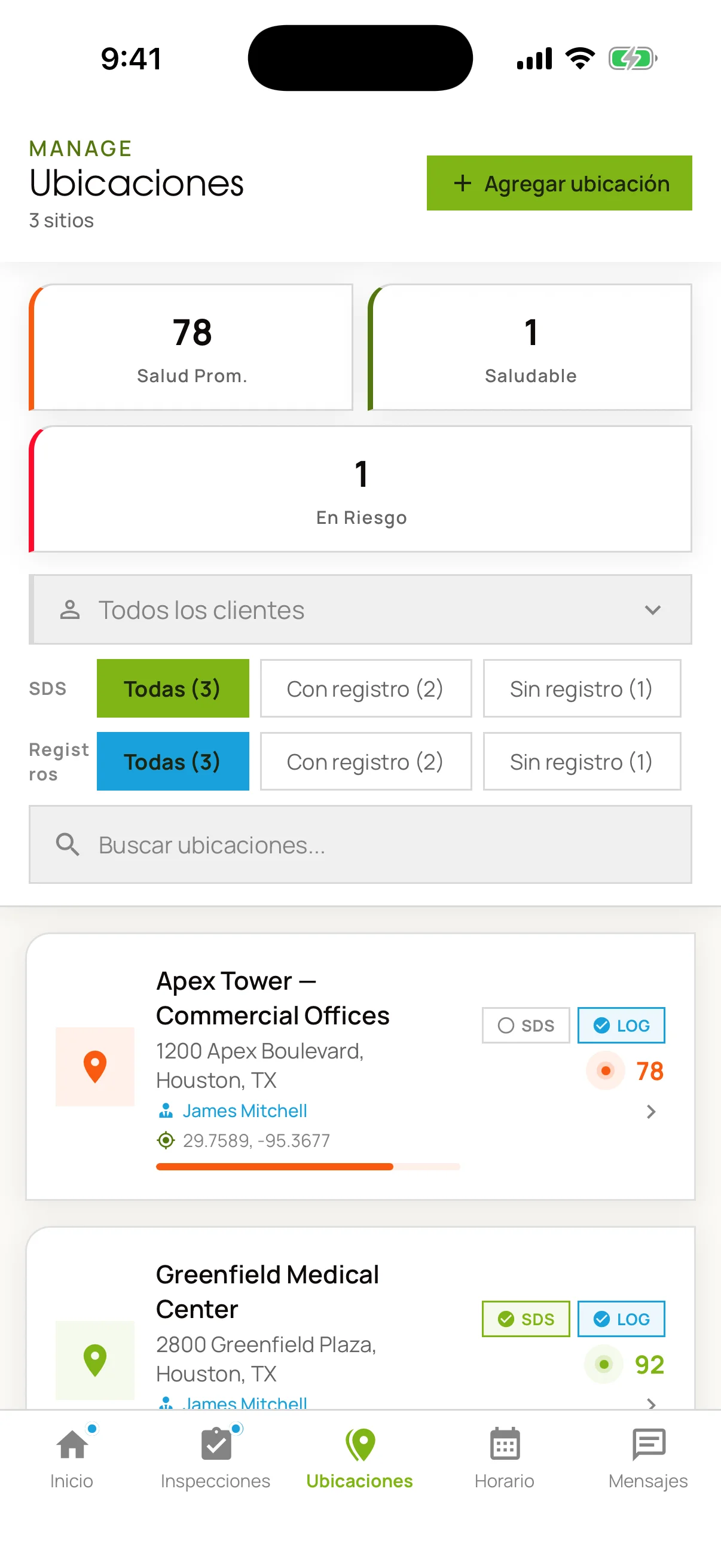
Español
Ubicaciones, Salud Prom., Saludable, En Riesgo.
It ships with every contract.
The app is how MGS runs its own field operations — not an add-on module sold separately. Clients get an account on it, and see the activity at their site as it is recorded.
Screens captured from the MGS Management App. Sites, names and scores are demonstration data.